Business Process Automation & Workflow Solutions

Automate Repetitive Work and Build Smarter Business Workflows

Most repetitive work is not a technology problem. It is a process that was never designed. We map how your business actually operates, then automate the parts that are holding it back.

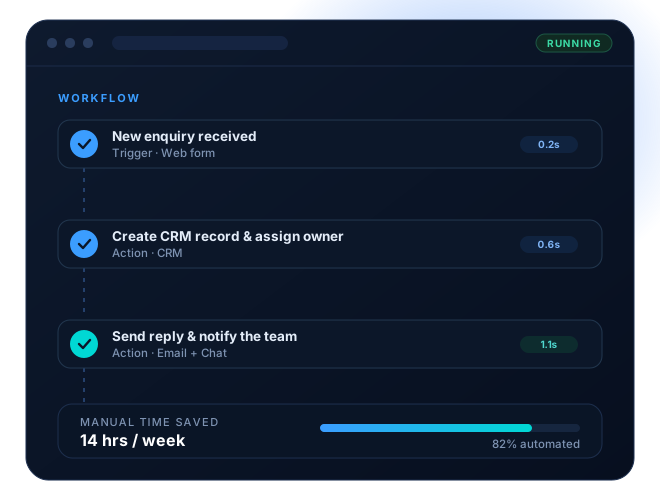
Automated business workflow preview
The Problem

Is repetitive work slowing down your business?

Nobody schedules time for it, but it is there every week: re-typing, chasing, rebuilding, asking where something has reached. It rarely appears on a report, and it steadily consumes your best people.

The cost is invisible. No one raises it, no line item shows it — the hours simply disappear into work that a defined process would have handled on its own.

Why It Matters

Automation is not only about saving time.

Hours returned are the easiest benefit to describe and the least interesting one. What changes a business is the process becoming predictable.

A process that runs the same way every time can be measured, improved and handed to someone else. A process that lives in one person’s habits cannot.

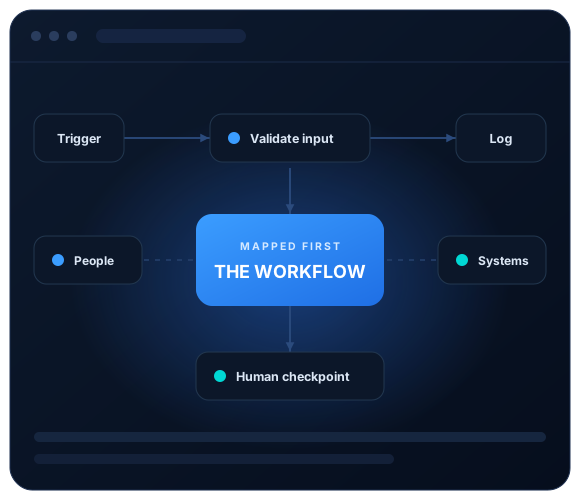
Business workflow mapping diagram
Our Approach

We start with the workflow, not the automation tool.

Choosing a platform first is how businesses end up with an automation nobody trusts. We map the process before anything is connected.

Only then is a tool chosen — and often the answer is the platform you are already paying for.

What We Automate

Automation built for the way your business actually works.

These are the processes that most often repay the effort first. Most engagements start with one of them and expand once the pattern is proven.

Workflow & Business Process Automation

End-to-end automation of the processes that run your operation day to day.

Lead Capture and CRM Automation

Every enquiry captured, recorded, assigned and answered without manual chasing.

Sales Follow-up and Pipeline

Follow-ups that happen on schedule instead of whenever someone remembers.

Quotation and Proposal Automation

Generate, send and track quotes from data you already hold, in a consistent format.

Finance, Invoice and Approvals

Route approvals, raise invoices and reconcile records without email ping-pong.

Document and Contract Workflows

Documents created, filed, signed and retrieved through a defined, auditable path.

Reporting and Data Consolidation

One reliable set of numbers, pulled together automatically and delivered on time.

Support, Ticket and Service Flows

Requests captured, categorised, routed and escalated by rule rather than by memory.

HR, Onboarding and Offboarding

Every new joiner and leaver follows the same checked sequence, every time.

AI Agents and Assistant Automation

AI steps placed inside a controlled workflow, with checkpoints where they matter.

Application and API Integration

Direct connections between systems that were never designed to talk to each other.

Platforms & Systems

Use the right combination for your existing systems.

There is no single best automation platform, only the one that suits the process, the data and the budget in front of it. We work across all of these and pick per workflow, not per company.

Make & Zapier

Hosted automation for connecting cloud applications quickly and reliably.

n8n & Self-Hosted

Workflows kept on your own infrastructure when data must stay in your control.

Google Workspace

Sheets, Docs, Drive, Forms and Gmail driven as part of the workflow.

Microsoft 365

Excel, Outlook, Teams, SharePoint and Power Automate wired together.

CRM Platforms

HubSpot, Zoho, Salesforce and Pipedrive kept in sync with everything else.

Custom APIs & AI

Direct integrations and AI steps for anything a ready-made connector cannot reach.

Where It Pays Off First

The same work, before and after.

Nothing exotic — these are the everyday processes where the difference shows up fastest and is easiest to measure.

Process
Done manually
Once automated
Lead response
Done manually

Hours, sometimes days

Once automated

Under a minute, every time

Weekly reporting
Done manually

Four to six hours rebuilding

Once automated

Delivered before you ask

Invoice approval
Done manually

Chased across email threads

Once automated

Routed, tracked and logged

Data entry
Done manually

Re-typed into three systems

Once automated

Entered once, synced everywhere

Staff onboarding
Done manually

A checklist in someone’s head

Once automated

The same steps for every hire

Job status
Done manually

Asked for in a meeting

Once automated

Visible on demand, always current

An Honest Caveat

Not every inefficient process should be automated immediately.

Automating a process that nobody has agreed on simply makes the disagreement run faster. Sometimes the honest answer is to fix or retire the process first — and we will tell you when that is the case, even though it delays the work.

Deciding What To Build

Choose the approach that fits the workflow.

A short test we apply to every candidate process before quoting on it.

Automate now

Build it, and it will keep paying you back.

Fix the process first

Automating this today would lock in the wrong thing.

What Every Engagement Includes

Mapped, built and handed over properly.

The same three stages apply whether we are automating one workflow or thirty.

Discovery & Mapping

We document how the process runs today before proposing a single change to it.

Build & Integration

The workflow is constructed, connected and hardened against the ways it can fail.

Handover & Support

You finish with something your team owns, understands and can change safely.

Fewer manual steps

The same work, with the handoffs and re-typing removed from it.

Consistent output

Every run follows the identical path, whoever happens to be in.

Visible status

You can see where any job has reached, without asking anyone.

Controlled change

Nothing goes live without a tested path back if it misbehaves.

Delivery Process

From requirement to controlled, day-to-day use.

Seven stages, each with an agreed outcome, so you always know what is happening now and what happens next.

01

Requirement Discussion

We start with the work that is costing you time, and what a good outcome would actually look like.

02

Process Mapping

Every trigger, step, decision and handover is documented as it happens today, not as it is supposed to happen.

03

Automation Design

We agree in writing what will be automated, what stays manual, and where a human has to approve something.

04

Build and Integration

The workflow is built and connected to your existing systems, with error handling and logging from the start.

05

Testing on Real Data

The automation runs alongside the manual process on live cases until the output matches every time.

06

Controlled Rollout

We switch over in stages, with a tested way back, so a problem never takes the whole process down.

07

Monitoring and Support

Alerts, documentation and ongoing support so the workflow keeps running as the business changes around it.

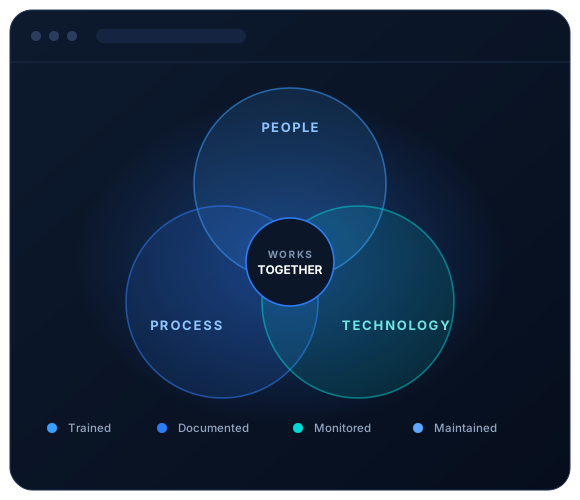
People, process and technology diagram
How We Build It

People, process and technology considered together.

Most automation projects fail on the human side, not the technical one. These are the rules we work to on every engagement.

Frequently Asked

Clear answers before automating a business process.

The questions we are asked most often, answered directly. If yours is not listed, ask us and you will get a straight answer.

Still have questions?

No. Almost every project we deliver connects the systems you already pay for. Replacing software is a last resort, and only ever suggested when the current tool genuinely cannot do what the process requires.

A single well-defined workflow usually takes two to four weeks from mapping to live. A multi-process programme across departments typically runs two to four months, delivered one workflow at a time so value arrives early.

Every workflow is built with error handling, retries and alerting. A failure notifies a named person with the details, and the affected item is held rather than lost, so the work can be completed manually while it is fixed.

Yes. We build on Make, Zapier, n8n, Power Automate and direct APIs, and connect to Google Workspace, Microsoft 365, and CRM platforms including HubSpot, Zoho, Salesforce and Pipedrive.

Data stays within the systems you already trust. Where a process is sensitive we use self-hosted automation so nothing passes through a third-party platform, and access is scoped to the minimum each step needs.

Yes. Workflows are built to be readable, documented in plain language, and handed over in a walkthrough session. Most clients make routine changes themselves and call us for the structural ones.

Platform costs typically range from nothing to a modest monthly subscription, depending on volume and whether the workflow is hosted or self-hosted. We size this during design so there are no surprises later.

Frequently. Approval steps are one of the biggest sources of delay. The automation handles routing, reminders and record-keeping, while the decision itself stays firmly with the person responsible for it.

Yes, with checkpoints. AI is used for drafting, summarising and classification inside a controlled workflow, and anything that carries risk passes through human review before it leaves the business.

Processes always change. Workflows are built in modular steps so a single stage can be altered without rebuilding the whole thing, and support plans cover the changes that come with growth.

Yes. Every engagement includes a written record of the process as mapped, the workflow as built, the systems it touches, what to do when something fails, and who to contact.

Before we build, we agree what to measure — response time, error rate, hours returned, or throughput. Reporting on those measures is included, so the result is visible rather than assumed.

Start With One Process

Automate Repetitive Work and Build Smarter Business Workflows

Tell us which process is costing you the most time. We will map it, tell you honestly whether it is worth automating, and quote on it — with no obligation.

© 2026 Abilix AI & Digital Solutions