
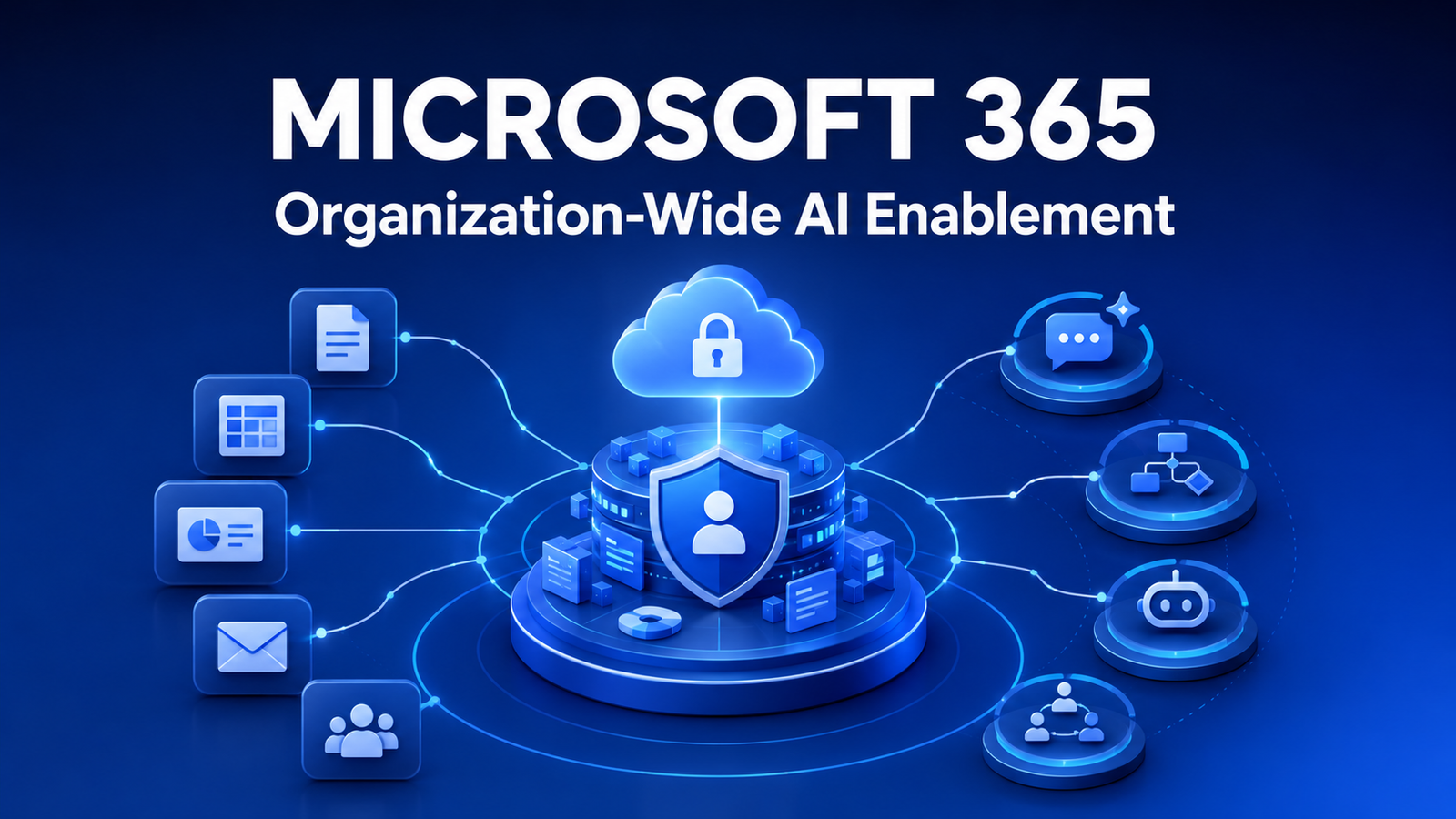
Microsoft 365 AI Enablement organizations-ന് secure AI adoption, data protection, governance, automation എന്നിവ ഒരേ connected ecosystem-ൽ കൊണ്ടുവരാനുള്ള practical approach ആണ്.
ഇന്ന് പല organizations-ഉം AI transformation തുടങ്ങുമ്പോൾ ആദ്യം ചോദിക്കുന്നത്:
“ഏത് AI tool ആണ് ഉപയോഗിക്കേണ്ടത്?”
ChatGPT ആണോ? Microsoft Copilot ആണോ? Gemini ആണോ? Claude ആണോ?
പക്ഷേ ഒരു organization-ന്റെ successful AI transformation-ൽ ഏറ്റവും പ്രധാനപ്പെട്ട ചോദ്യം ഇതല്ല.
Employees-ന് ഒരു AI chatbot access കൊടുക്കുന്നത് മാത്രം ഒരു business-നെ AI-enabled organization ആക്കില്ല.
അതിന് ആവശ്യമാണ്:
- Identity & Access Management
- Data Security
- Controlled Information Sharing
- Device Management
- Data Protection
- AI Governance
- Centralized Administration
- Usage Monitoring
- Employee Training
- Business Workflow Integration
ഇവിടെയാണ് Microsoft 365 ഒരു ശക്തമായ AI enablement ecosystem ആയി മാറുന്നത്.
Microsoft 365-നെ Word, Excel, PowerPoint, Outlook, Teams എന്നിവയുടെ collection ആയി മാത്രം കാണേണ്ട കാലം കഴിഞ്ഞു.
Microsoft 365 Copilot, SharePoint, OneDrive, Microsoft Entra, Microsoft Purview, Intune, Power Platform, Copilot Studio എന്നിവ ശരിയായ രീതിയിൽ integrate ചെയ്താൽ, organization-ന്റെ people, data, security, automation, workflows, AI എന്നിവയെ ഒരു connected ecosystem-ലേക്ക് കൊണ്ടുവരാൻ കഴിയും.
AI Enablement എന്നത് Employees-ന് Copilot നൽകുന്നത് മാത്രം അല്ല
ഒരു company എല്ലാ employees-നും Microsoft 365 Copilot license വാങ്ങി കൊടുത്തു എന്ന് കരുതുക.
Technically, organization AI ഉപയോഗിക്കാൻ തുടങ്ങി.
പക്ഷേ അത് AI transformation ആണോ?
അവശ്യമായില്ല.
Real transformation നടക്കുന്നത് AI daily business workflows-ന്റെ ഭാഗമാകുമ്പോഴാണ്.
Sales Team
Copilot ഉപയോഗിച്ച് meeting preparation, email drafting, document summarization, proposal preparation, customer-related information analysis എന്നിവ കൂടുതൽ efficiently ചെയ്യാം.
Management
Meetings, documents, reports, internal information എന്നിവ summarize ചെയ്ത് faster decision-making-ന് AI സഹായകരമാകാം.
HR
Approved HR policies, procedures, employee documents എന്നിവ അടിസ്ഥാനമാക്കി controlled AI-assisted knowledge experience build ചെയ്യാം.
Finance
Excel, reports, documents, authorized organizational information എന്നിവ ഉപയോഗിച്ച് analysis, reporting, financial review എന്നിവ improve ചെയ്യാം.
Operations
Microsoft 365, Power Platform, Copilot Agents എന്നിവ combine ചെയ്ത് repetitive workflows automate ചെയ്യുകയും operational information employees-ന് കൂടുതൽ easily accessible ആക്കുകയും ചെയ്യാം.
അതാണ് practical organization AI enablement.
Microsoft 365 AI Enablement: Organizational Context
Microsoft 365 Copilot-ന് Microsoft Graph വഴി organization-ന്റെ context മനസ്സിലാക്കാൻ കഴിയും.
ഉദാഹരണത്തിന്:
- Emails
- Calendar
- Meetings
- Teams chats
- Documents
- SharePoint files
- OneDrive files
- Contacts
എന്നിവ organizational context ആയി ഉപയോഗിക്കാൻ കഴിയും.
പക്ഷേ ഇവിടെ ഒരു പ്രധാന security principle ഉണ്ട്:
Copilot ഒരു employee-ന് already access ഇല്ലാത്ത company data automatically access ചെയ്യാൻ permission നൽകുന്നില്ല.
Microsoft guidance അനുസരിച്ച്, user-ന് existing Microsoft 365 permissions പ്രകാരം access ഉള്ള information അടിസ്ഥാനമാക്കിയാണ് Copilot പ്രവർത്തിക്കുന്നത്.
അതുകൊണ്ട് Copilot deploy ചെയ്യുന്നതിന് മുമ്പ് organizations ചെയ്യേണ്ട ഏറ്റവും പ്രധാനപ്പെട്ട കാര്യങ്ങളിൽ ഒന്ന്:
Review Your Data Permissions
SharePoint permissions ശരിയാണോ?
OneDrive sharing properly controlled ആണോ?
Former employees-ന്റെ access remove ചെയ്തിട്ടുണ്ടോ?
Sensitive documents എല്ലാവർക്കും visible ആണോ?
Teams / SharePoint sites-ൽ excessive permissions ഉണ്ടോ?
AI adoption-ന് മുമ്പ് ഈ കാര്യങ്ങൾ പരിശോധിക്കേണ്ടത് വളരെ പ്രധാനമാണ്.
കാരണം:
AI Governance starts with Data Governance.
Data Protection Must Be Part of the AI Strategy
Employees AI ഉപയോഗിക്കുമ്പോൾ പലപ്പോഴും work ചെയ്യുന്ന information sensitive ആയിരിക്കും.
ഉദാഹരണത്തിന്:
- Customer information
- Contracts
- Financial reports
- HR documents
- Sales data
- Business reports
- Internal procedures
- Intellectual property
Proper governance ഇല്ലെങ്കിൽ employees confidential business information unapproved AI tools-ലേക്ക് copy-paste ചെയ്യാനുള്ള risk ഉണ്ടാകും.
Microsoft ecosystem-ൽ ഇതിന് സഹായിക്കുന്ന പ്രധാന solution ആണ്:
Microsoft Purview
Microsoft Purview ഉപയോഗിച്ച് organizations-ന് sensitive organizational information classify, protect, monitor, govern ചെയ്യാൻ കഴിയും.
Configuration, subscription, licensing എന്നിവയെ ആശ്രയിച്ച് organizations-ന് ഉപയോഗിക്കാവുന്ന capabilities:
- Sensitivity Labels
- Data Loss Prevention
- Information Protection
- Audit
- Retention
- eDiscovery
- Compliance Controls
- AI Activity Monitoring
AI adoption വളരുമ്പോൾ which data can be used, who can access it, how it is monitored എന്നത് increasingly important ആകും.
Company Data Microsoft AI Models Train ചെയ്യാൻ ഉപയോഗിക്കുമോ?
Enterprise AI adoption-ൽ organizations ചോദിക്കേണ്ട വളരെ പ്രധാനപ്പെട്ട question ആണ് ഇത്.
Microsoft പറയുന്നതനുസരിച്ച് Microsoft 365 Copilot-ലും eligible Copilot Chat enterprise scenarios-ലും:
Prompts, responses, Microsoft Graph വഴി access ചെയ്യുന്ന organizational data എന്നിവ foundation models train ചെയ്യാൻ ഉപയോഗിക്കുന്നില്ല.
ഇത് enterprise adoption-ന് ഒരു important data-protection advantage ആണ്.
പക്ഷേ അതുകൊണ്ട് governance ആവശ്യമില്ല എന്നർത്ഥമില്ല.
Organizations ഇപ്പോഴും properly configure ചെയ്യേണ്ടത്:
- User Permissions
- Sharing Policies
- Data Classification
- Security Policies
- Employee Access
- Sensitive Information Protection
Technology security capabilities നൽകും.
Correct implementation organization ചെയ്യേണ്ടതാണ്.
Identity Is Becoming the New Security Perimeter
ഇന്ന് employees ഒരു office network-ൽ നിന്ന് മാത്രം work ചെയ്യുന്നില്ല.
Employees work ചെയ്യുന്നത്:
- Head Office
- Branch Offices
- Home
- Customer Locations
- Mobile Devices
- Different Countries
ഇങ്ങനെ distributed environment ആയതുകൊണ്ട് Identity Management വളരെ പ്രധാനമാണ്.
Microsoft ecosystem-ൽ ഇതിന് പ്രധാന role play ചെയ്യുന്നത്:
Microsoft Entra
Microsoft Entra ഉപയോഗിച്ച് identity and access policies manage ചെയ്യാം.
ഉദാഹരണത്തിന് Conditional Access policies ഉപയോഗിച്ച്:
- Who can access company resources?
- Which device can access?
- MFA ആവശ്യമാണോ?
- Risky login ആണോ?
- Device compliant ആണോ?
എന്നിവയുടെ അടിസ്ഥാനത്തിൽ access control implement ചെയ്യാം.
AI ഉപയോഗിച്ച് company information access ചെയ്യുമ്പോൾ identity security കൂടുതൽ important ആകുന്നു.
Device Management Is Also Part of AI Security
AI security എന്നത് AI model security മാത്രം അല്ല.
Employee ഉപയോഗിക്കുന്ന laptop, mobile, tablet എന്നിവയുടെ security-യും equally important ആണ്.
Microsoft Intune
Microsoft Intune organizations-ന് managed devices-ൽ:
- Compliance policies
- Device management
- Security requirements
- Corporate data protection
എന്നിവ implement ചെയ്യാൻ സഹായിക്കും.
Microsoft Entra Conditional Access-നൊപ്പം integrate ചെയ്ത് compliant device-ൽ നിന്ന് മാത്രമേ certain corporate resources access ചെയ്യാൻ കഴിയൂ എന്ന policies implement ചെയ്യാനും കഴിയും.
അപ്പോൾ security flow ഇങ്ങനെ ആകുന്നു:
User → Identity → Device → Application → Company Data → AI
ഇതാണ് modern enterprise security architecture-ന്റെ പ്രധാന direction.
Centralized AI Governance IT-യുടെ പുതിയ Responsibility
AI organization-ൽ scale ചെയ്യുമ്പോൾ IT team-ന് പുതിയ questions വരും.
Who can use Copilot?
Which department needs Copilot?
Which employees are actually using it?
Which AI Agents are allowed?
Third-party agents company information access ചെയ്യുമോ?
Which departments need more training?
Sensitive information AI-യുമായി interact ചെയ്യുന്നുണ്ടോ?
Copilot adoption business value ഉണ്ടാക്കുന്നുണ്ടോ?
ഈ requirements manage ചെയ്യാൻ Microsoft Copilot Control System എന്ന framework ഉപയോഗിക്കുന്നു.
ഇതിന്റെ പ്രധാന areas:
Security & Governance
Organizational information protect ചെയ്യാനും compliance, security, privacy support ചെയ്യാനും.
Management Controls
Copilot deployment, licenses, access, agents, customization എന്നിവ manage ചെയ്യാൻ.
Measurement & Reporting
Copilot adoption, usage, readiness, productivity impact എന്നിവ understand ചെയ്യാൻ.
AI ഇനി ഒരു simple productivity application മാത്രമല്ല.
Organizations-ന് AI-യെ manage, monitor and govern ചെയ്യേണ്ട technology layer ആയി മാറുകയാണ്.
Copilot Adoption Monitor ചെയ്യാം
Enterprise AI implementation-ന്റെ ഒരു വലിയ advantage ആണ് visibility.
Organizations-ന് Copilot adoption, readiness, usage എന്നിവ monitor ചെയ്യാനുള്ള reporting capabilities ലഭ്യമാണ്.
ഉദാഹരണത്തിന്:
- Eligible users
- Copilot adoption
- Active usage
- Application usage
- Agent usage
- AI activity
Additional analytics Microsoft Purview, Viva Insights, Copilot analytics തുടങ്ങിയ tools വഴി licensing അനുസരിച്ച് ലഭ്യമായേക്കാം.
ഇത് organizations-നെ ഒരു important transition ചെയ്യാൻ സഹായിക്കും:
“We bought AI licenses.”
എന്നതിൽ നിന്ന്:
“Is AI actually creating measurable business value?”
എന്ന ചോദ്യത്തിലേക്ക്.
The Next Stage: AI Agents
Enterprise AI-യുടെ അടുത്ത phase employees chatbot-നോട് questions ചോദിക്കുന്നത് മാത്രം ആയിരിക്കില്ല.
Organizations business-specific AI Agents build ചെയ്യാൻ തുടങ്ങും.
ഉദാഹരണത്തിന്:
Sales Agent
Product information, approved sales documents, pricing information, sales procedures എന്നിവ employees-ന് quickly കണ്ടെത്താൻ സഹായിക്കാം.
HR Agent
Approved HR policies, leave rules, employee procedures എന്നിവ അടിസ്ഥാനമാക്കി employee questions answer ചെയ്യാം.
Operations Agent
SOPs, forms, internal processes, operational knowledge എന്നിവ support ചെയ്യാം.
Finance Agent
Authorized financial information retrieve ചെയ്യാനും analysis support ചെയ്യാനും കഴിയും.
Management Agent
Reports, documents, meetings, organizational knowledge എന്നിവ summarize ചെയ്ത് management decision-making support ചെയ്യാം.
IT Support Agent
Approved IT documentation, troubleshooting procedures, policies എന്നിവ employees-ന് quickly access ചെയ്യാൻ സഹായിക്കാം.
Copilot Studio പോലുള്ള Microsoft technologies ഉപയോഗിച്ച് business-specific AI agents create ചെയ്യാനും Power Platform വഴി workflows integrate ചെയ്യാനും കഴിയും.
Agent governance requirements അനുസരിച്ച് controls Microsoft 365 Admin Center, Power Platform Admin Center, Copilot Studio തുടങ്ങിയ connected Microsoft administration environments-ലായി manage ചെയ്യപ്പെടാം.
Microsoft 365 Automatically Secure അല്ല
ഒരു important misunderstanding ഒഴിവാക്കണം.
Microsoft 365 അല്ലെങ്കിൽ Copilot വാങ്ങിയതുകൊണ്ട് മാത്രം organization automatically secure AI-enabled business ആകില്ല.
Microsoft technologies required capabilities നൽകും.
Implementation, configuration, governance organization-ന്റെ responsibility ആണ്.
Copilot organization-wide deploy ചെയ്യുന്നതിന് മുമ്പ് ചോദിക്കേണ്ട questions:
- Company data എവിടെയാണ് stored?
- ആരൊക്കെയാണ് data access ചെയ്യുന്നത്?
- SharePoint permissions properly configured ആണോ?
- OneDrive sharing controlled ആണോ?
- Sensitive information classify ചെയ്തിട്ടുണ്ടോ?
- Which departments actually need Copilot?
- Which repetitive processes can be automated?
- Which AI Agents can create business value?
- Employees-ന് AI training ആവശ്യമാണോ?
- AI usage എങ്ങനെ monitor ചെയ്യും?
- Organization-ന് AI governance policy ഉണ്ടോ?
ഈ questions answer ചെയ്യുന്നത് AI tool തിരഞ്ഞെടുക്കുന്നതിനെക്കാൾ important ആയേക്കാം.
Microsoft 365 as an AI Enablement Ecosystem
Microsoft ecosystem-നെ simple ആയി കാണുമ്പോൾ:
Microsoft Entra → Identity & Access
Microsoft Intune → Device Management
SharePoint + OneDrive → Organizational Data & Knowledge
Microsoft Purview → Data Protection & Governance
Teams + Outlook + Office Apps → Daily Employee Workflows
Microsoft Graph → Organizational Context
Microsoft 365 Copilot → AI Assistance
Power Platform → Automation & Business Applications
Copilot Studio + AI Agents → Business-Specific AI Experiences
Microsoft Admin & Governance Tools → Deployment, Monitoring & Control
എല്ലാ organizations-നും ഈ solutions എല്ലാം ആവശ്യമാകണമെന്നില്ല.
Licensing, business size, security requirements, use cases എന്നിവ അനുസരിച്ച് architecture മാറും.
പക്ഷേ ശരിയായ രീതിയിൽ implement ചെയ്താൽ Microsoft 365 AI Enablement ഒരു organization-ന്:
Secure + Governed + Connected + Scalable AI Environment
build ചെയ്യാനുള്ള ശക്തമായ foundation ആകാം.
Real AI Transformation
Organizations AI implementation-നെ:
“Which chatbot should our employees use?”
എന്ന രീതിയിൽ മാത്രം കാണരുത്.
അതിന് പകരം ചോദിക്കേണ്ടത്:
“People, Data, Applications, Security, Automation, Workflows, and AI — ഇവയെ എങ്ങനെ ഒരുമിച്ച് connect ചെയ്ത് business improve ചെയ്യാം?”
എന്നതാണ്.
Microsoft ecosystem already ഉപയോഗിക്കുന്ന organizations-ന് journey ഇങ്ങനെ evolve ചെയ്യാം:
Microsoft 365 Adoption
↓
Digital Workplace
↓
AI-Assisted Workflows
↓
Automation
↓
AI Agents
↓
Organization-Wide AI Enablement
Real objective employees-ന് Copilot നൽകുന്നത് മാത്രമല്ല.
AI organization-ൽ:
Securely. Responsibly. Productively. Measurably. And at Scale.
ഉപയോഗിക്കാൻ കഴിയുന്ന ecosystem build ചെയ്യുകയാണ്.
AI Enablement with Abilix
Abilix AI & Digital Solutions organizations-ന്റെ current workflows, software, data usage, repetitive processes, employee requirements എന്നിവ analyze ചെയ്ത് practical AI opportunities identify ചെയ്യാൻ സഹായിക്കുന്നു.
Focus ഒരു specific AI tool sell ചെയ്യുന്നതല്ല.
ശരിയായ AI strategy, workflow improvement, automation opportunities, employee AI training, governance approach, and implementation roadmap identify ചെയ്യുക എന്നതാണ്.
കൂടുതൽ അറിയാൻ: